
Preferences you can set for AAHC include:
Broadcast messages.
Select the date format, the time format, and the language.
Include search filters in the downloaded search results’ headers and footers.
Include row count in the downloaded search results.
Upload your organization logo.
Upload TLS/SSL certificates.
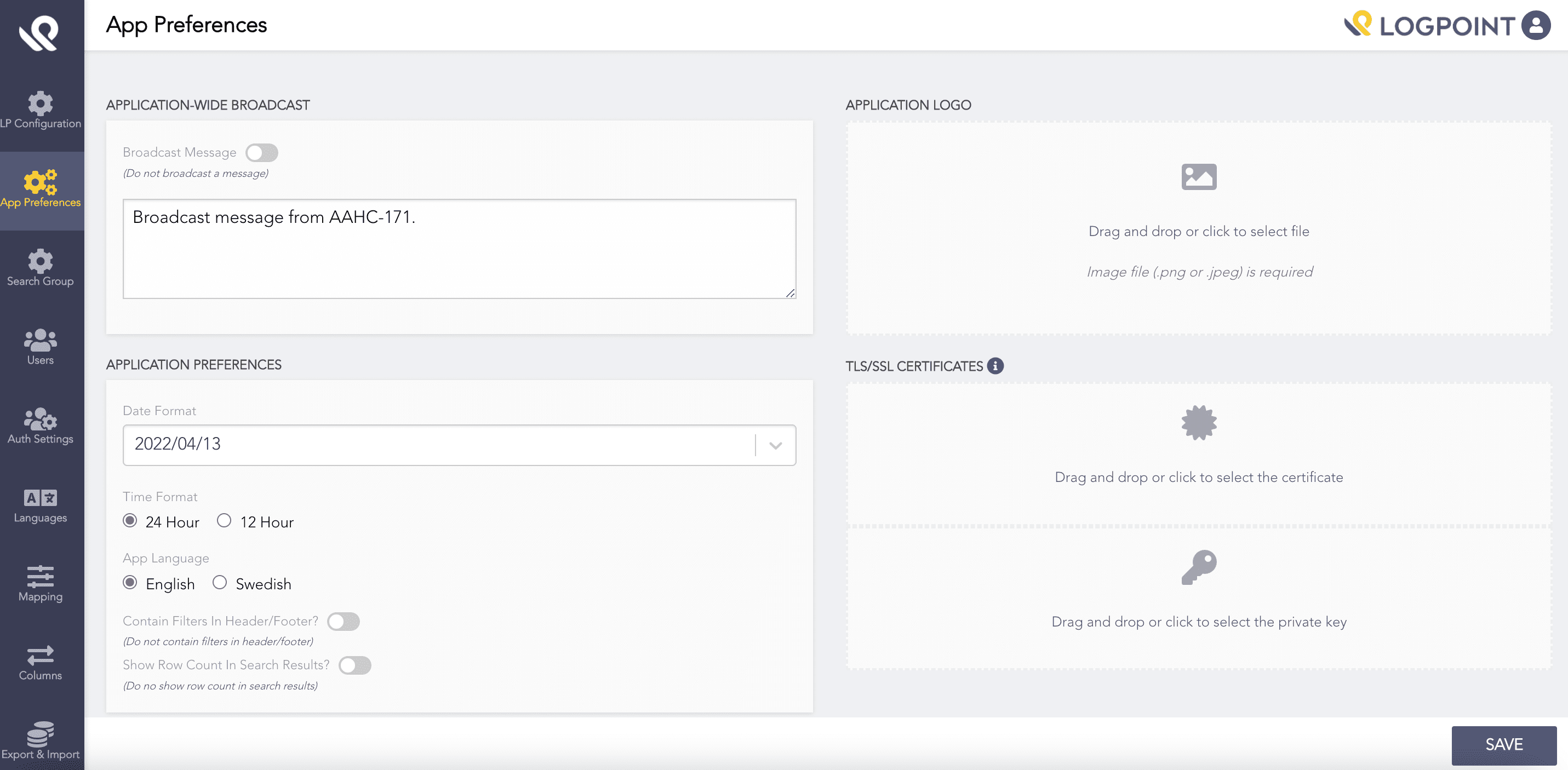
App Preferences
To broadcast a message:
Enable Broadcast Message
Enter your message
Click Save.
AAHC displays the message on the Search page.
To select your preferred date format:
Click the Date Format drop-down and select a format.
Click Save.
The changes are reflected in the AAHC UI and the generated reports.
AAHC supports two languages: English and Swedish. To select your preferred App Language, select the corresponding radio button and click Save.
Before you upload a logo, make sure the size is 240 pixels by 90 pixels.
In the Application logo section:
Drag and drop your logo image file, or
Browse to where your file is stored and click Save.
All of AAHC pages and the generated reports contain the updated logo.
HTTPS secures the communication between your browser and the AAHC server, preventing outsiders from accessing network data. TLS/SSL certificates enables HTTPS for AAHC.
In the TLS/SSL Certificates section:
Drag and drop the files, or
Click the area to browse the files and click Save.
AAHC supports PEM-encoded X.509 certificates only.
Requirement |
Supported |
|---|---|
Encoding |
PEM |
File extensions |
.crt, .pem |
Certificate type |
X.509 |
Chain certificates |
Supported when PEM-encoded |
AAHC only supports unencrypted PEM-encoded private keys.
Supported certificate file:
-----BEGIN CERTIFICATE-----
MIIDXTCCAkWgAwIBAgIJALxQ...
-----END CERTIFICATE-----
Supported private key file:
-----BEGIN PRIVATE KEY-----
MIIEvQIBADANBgkqhkiG9w0B...
-----END PRIVATE KEY-----
Unsupported certificate content:
Certificates or keys containing additional header information outside standard PEM blocks:
Bag Attributes
    localKeyID: 01 00 00 00
subject=/CN=aahc.example.com
issuer=/CN=Example CA
-----BEGIN CERTIFICATE-----
MIID...
-----END CERTIFICATE-----
The certificate file must contain only the PEM-encoded certificate block.